
Download KeyTweak – Free Keyboard Remapper for Windows (Secure, Lightweight, Portable)
Looking for a reliable, free tool to customize your keyboard layout on Windows? KeyTweak is a lightweight, secure, and portable software that allows you to remap any key on your keyboard with just a few clicks. Whether you're adjusting for ergonomic preferences, fixing a broken key, or adapting to a foreign keyboard layout, KeyTweak delivers fast, effective results.
Designed by Travis Krumsick, this small utility (under 500KB) works seamlessly on Windows XP, Vista, 7, 8, and 10. Despite no longer being actively developed, KeyTweak remains a trusted choice for users who value simplicity and efficiency. With easy reset options, universal remapping, and no installation required, it’s ideal for both beginners and power users.
Download KeyTweak today and take full control of your keyboard behavior—no complex scripts or third-party dependencies needed.
Why Choose KeyTweak for Custom Keyboard Mapping?
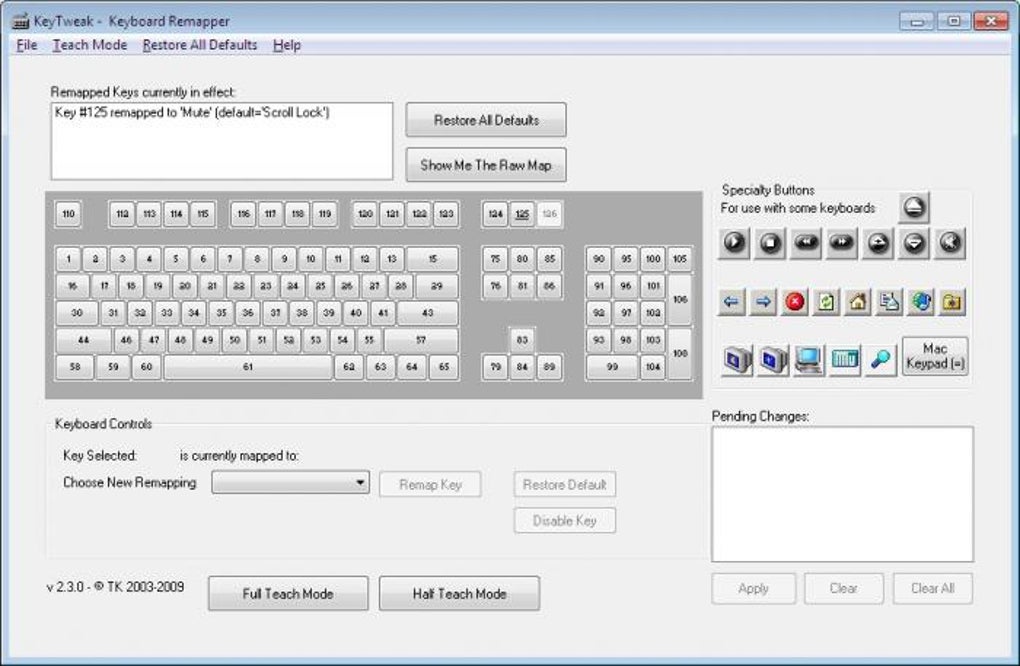
When it comes to personalizing your typing experience, few tools offer the simplicity and effectiveness of KeyTweak. Unlike complex automation platforms, KeyTweak focuses solely on one task: remapping keyboard keys. This laser-focused design makes it incredibly easy to use, even for those unfamiliar with technical software. The interface presents a virtual keyboard that mirrors your physical layout, allowing you to visually identify which keys you want to change. Click on any key, select a new function from the dropdown menu, and apply the change—no coding required. One of the standout features is the ability to reset all changes with a single click. This is especially useful if you experiment with different layouts and decide to revert to the original configuration. The tool also supports disabling unwanted keys—perfect for preventing accidental keystrokes during gaming or typing. Another major advantage is portability. Since KeyTweak doesn’t require installation, you can run it directly from a USB drive, making it ideal for use on shared or public computers. The software operates at the system level, meaning your remappings apply globally across all applications. This ensures consistency whether you're working in Word, coding in Visual Studio, or playing a game. While it doesn’t support advanced key combinations (like Ctrl+Alt+Delete), it excels at basic remapping tasks. For users who need a no-frills, secure, and fast solution, KeyTweak remains one of the best free keyboard tools available. Its minimal footprint and stable performance make it a go-to choice for anyone looking to tweak their keyboard layout without complications.How to Install and Use KeyTweak on Windows
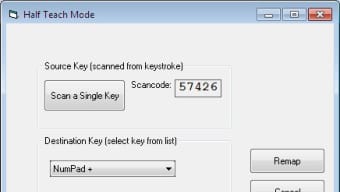
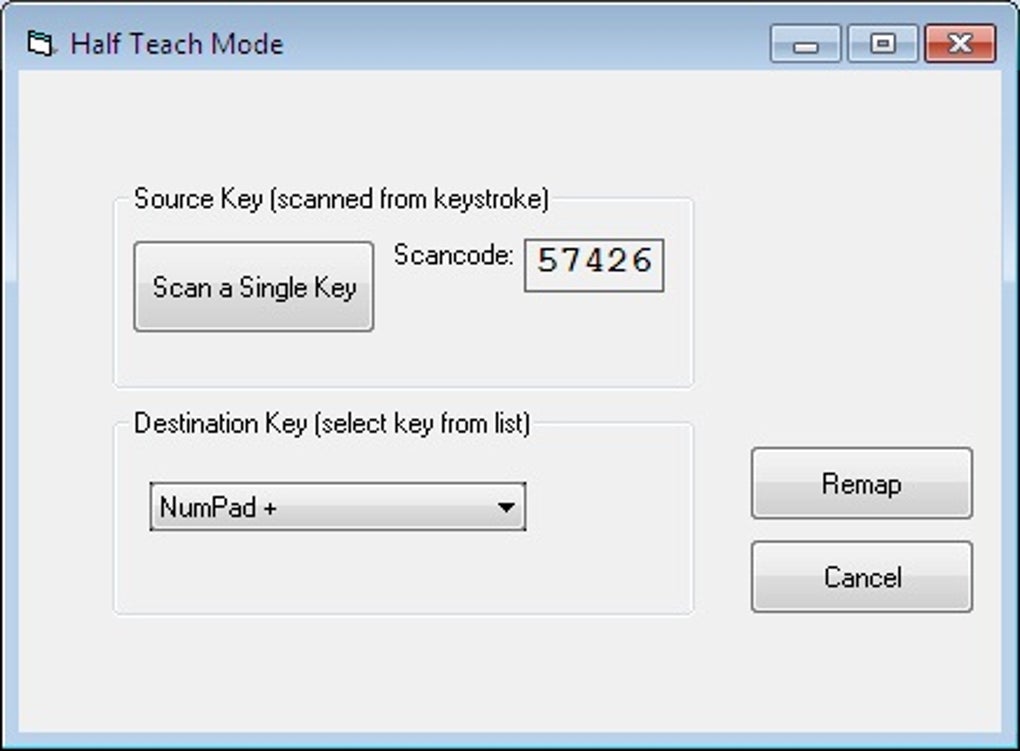
Installing KeyTweak is a breeze, thanks to its portable nature. Start by downloading the latest version from a trusted source like Softonic. The file is a single executable (.exe), so there’s no need for a traditional installer. Simply run the file, accept the license agreement, and the program will launch immediately. You’ll find a shortcut in your Start menu under the KeyTweak submenu, along with a manual and an uninstall option. To begin remapping, open the application and select the key you want to change from the virtual keyboard. The corresponding key on your physical keyboard will be highlighted. In the Keyboard Control section, choose your desired new function from the dropdown menu—options include standard keys, special functions, or even disabling the key entirely. Click “Remap Key,” and the change will appear in the Pending Changes section. Important: All changes require a system reboot to take effect. Once you’re ready, click “Apply” and choose to restart immediately or later. After rebooting, your keyboard will behave exactly as defined. You can repeat this process for multiple keys. For advanced users, the Full Teach Mode allows you to map one key to another by pressing them on your physical keyboard, streamlining the process. The Half Teach Mode, while available, is less intuitive and generally not recommended. Always keep a backup of your original layout, especially if you’re using it on a shared device.Key Features and Benefits of KeyTweak
KeyTweak offers a powerful set of features despite its minimalistic design. Here’s what makes it a top choice for keyboard customization:- Universal Key Remapping – Remap any key on your keyboard to any other key or function.
- One-Click Reset – Restore default settings instantly with a single button click.
- Key Disabling – Disable problematic or frequently pressed keys (e.g., Caps Lock).
- Portable & No Installation – Run directly from USB or local drive without admin rights.
- Supports Specialty Buttons – Remap media keys, volume controls, and other function keys (where supported).
- Full & Half Teach Modes – Use intuitive teaching modes to simplify remapping.
- Lightweight & Secure – Under 500KB, no ads, malware, or tracking.
Compatibility, Limitations, and Alternatives
KeyTweak is compatible with Windows XP, Vista, 7, 8, and 10. It runs on both 32-bit and 64-bit systems and does not require administrative privileges. However, it is not available for Mac, Linux, Android, or iOS—making it strictly a Windows-only solution. This limitation may be a dealbreaker for cross-platform users. Despite its strengths, KeyTweak has a few drawbacks. It cannot combine keys (e.g., turning Ctrl+Alt+Delete into a single key), nor does it support the Pause/Break key or certain laptop function keys. Some specialty buttons may also be ignored. Additionally, since development has ceased, future Windows updates could potentially affect compatibility. For users needing more advanced features, consider alternatives like:- SharpKeys – Open-source, supports registry edits, more advanced mapping.
- AutoHotkey – Highly customizable scripting for complex automation.
- Google Input Tools – Great for multilingual typing and layout switching.
- On-Screen Keyboard Portable – Useful for physical keyboard failures.
Frequently Asked Questions (FAQ)
- Is KeyTweak free to download?
- Yes, KeyTweak is completely free to download and use. There are no hidden fees or trial restrictions.
- Does KeyTweak work on Windows 10?
- Yes, KeyTweak is compatible with Windows 10 and runs without issues on most systems.
- Can I use KeyTweak on Mac or Linux?
- No, KeyTweak is only available for Windows. For Mac or Linux, consider alternatives like SharpKeys or AutoHotkey.
- Do I need to restart after remapping keys?
- Yes, all changes require a system reboot to take effect. You’ll be prompted to restart when you click Apply.
- Can I remap function keys on my laptop?
- Unfortunately, KeyTweak does not support remapping function keys (F1-F12) on most laptops.







